






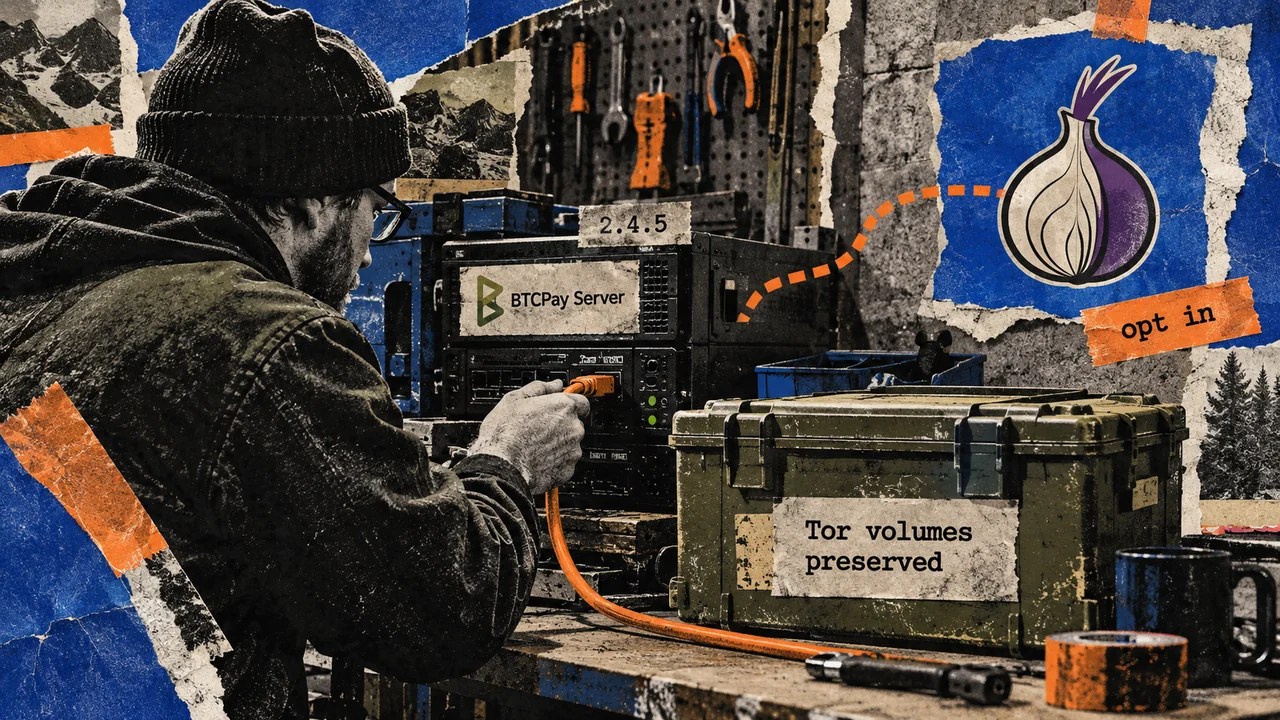
Operators running the Bitcoin payment software BTCPay Server through its standard Docker deployment must explicitly select Tor at their next setup or update if they want to retain onion access. The change removes Tor from the automatically included components, making it an optional configuration choice for administrators.
BTCPay announced the deployment change on Oct. 5 alongside version 2.4.5. The GitHub release page records the software release on Oct. 6. For existing Docker installations, the requirement applies the next time they perform a setup or update.
The shift matters to Docker operators who rely on Tor—including access via an onion address—because the service is no longer bundled by default. Instead, administrators must add the Tor fragment manually. Fragments are the configuration components that assemble the Docker stack.
BTCPay advises administrators to review the deployment changes before upgrading. After updating to 2.4.5, the command to enable Tor is:
sudo btcpay-fragments add opt-add-tor
Tor remains supported, and BTCPay states that existing data will stay in the current Tor volumes, preserving stored information. Continued onion access, however, still depends on including and running Tor in the deployment.
BTCPay Server documentation describes the optional Tor fragment opt-add-tor as adding hidden services and onion connectivity. Operators can inspect the configuration using btcpay-fragments show, which lists saved, excluded, and effective fragments without altering them.


Fragment-changing commands require root and reapply setup immediately.


Private Services Need Separate Exceptions
The 2.4.5 release notes also introduce a breaking change for outbound HTTP requests: private‑network destinations are blocked by default for Lightning connections, LNURL requests, invoice notification URLs and webhooks. This restriction aims to prevent server‑side request forgery (SSRF).
When the protection is enabled, operators who intentionally use private services must allow the required destinations via the ssrfexceptions setting.
BTCPay’s operator guide recommends restarting the application and testing the affected integration after modifying the setting.
Also Read
- Coinbase Benchmark Reveals Newer AI Models Miss More Payment Fraud
- CFTC Issues Dual Rules Defining Prediction Market Contracts as Swaps and Excluding Traditional Casino Gambling
- block at beginning, then rewritten article HTML body text. Must remove promotional lines, “SEE ALSO” links, footer junk. Also must keep all media elements (images, iframe, etc.) unchanged and in original positions. Need to rewrite headline to unique, fresh, professional. Then rewrite the news story body text into natural, high-quality professional English. We need to keep HTML tags, but also ensure media tags remain exactly. Let’s identify media elements: There’s a with an and a . The img class includes many srcset and width/height attributes. Must keep exactly. There’s also a <img alt=”” loading=”lazy”… class=”shrink-0 rounded-full max-sm:h-[22px] max-sm:w-[22px]” style=”color:transparent” src=”https://coin-images.coingecko.com/coins/images/1/large/bitcoin.png?1696501400″/> (a small bitcoin icon). Must keep. There are some lines with etc, but they are part of UI elements like price, market data. Those seem like promotional or UI, not part of article body? The instructions: Remove promotional lines, “SEE ALSO” links, and footer junk. The price/value and market projections might be promotional UI. So we likely need to remove those elements that are not part of news story. Also the Daily Debrief Newsletter and its paragraph likely are promotional newsletter sign-up, thus remove. Also the with Bitcoin label etc maybe part of UI; likely promotional. So we should remove those. We need to keep the article body: The news story comprises paragraphs with tags describing the committee actions. Also list items () describing amendments. We need to ensure we preserve the with three list items (the amendments). Also the figure with image remains. Also need to keep the paragraph after the figure (the final paragraph) that continues article: “The Assembly adopted another crypto-inclusive tax…” that’s part of article? It describes another amendment, still news. That seems relevant. Also the final paragraph about floor debate dates. That also part of article. We must rewrite headline: Original: “French Committee Backs Stablecoin Swap Tax and Crypto Exit Tax, Then Rejects the Budget”. Need unique, fresh, professional. Maybe: “French Finance Committee Approves Taxes on Crypto Swaps and High‑Value Holdings, Rejects Budget”. But need professional and fresh. Let’s craft: “French Finance Committee Endorses Taxes on Crypto Swaps and Wealthy Holdings, Rejects Budget”. That is okay. But we need to output [TITLE]… then the headline? Actually [TITLE] block should contain the rewritten headline. The instruction: Output ONLY the requested [TITLE] block at the absolute beginning, followed immediately by the rewritten content. So [TITLE] block contains the headline (rewritten). Then immediately after that, the cleaned, rewritten article HTML body text. Thus we need: [TITLE]French Finance Committee Endorses Taxes on Crypto Swaps and Wealthy Holdings, Rejects Budget
- Reserve Bank of India Introduces Special Dollar Window for Public Sector OMCs to Curb Rupee Depreciation


![block at beginning, then rewritten article HTML body text. Must remove promotional lines, “SEE ALSO” links, footer junk. Also must keep all media elements (images, iframe, etc.) unchanged and in original positions. Need to rewrite headline to unique, fresh, professional. Then rewrite the news story body text into natural, high-quality professional English. We need to keep HTML tags, but also ensure media tags remain exactly. Let’s identify media elements: There’s a with an and a . The img class includes many srcset and width/height attributes. Must keep exactly. There’s also a <img alt=”” loading=”lazy”… class=”shrink-0 rounded-full max-sm:h-[22px] max-sm:w-[22px]” style=”color:transparent” src=”https://coin-images.coingecko.com/coins/images/1/large/bitcoin.png?1696501400″/> (a small bitcoin icon). Must keep. There are some lines with etc, but they are part of UI elements like price, market data. Those seem like promotional or UI, not part of article body? The instructions: Remove promotional lines, “SEE ALSO” links, and footer junk. The price/value and market projections might be promotional UI. So we likely need to remove those elements that are not part of news story. Also the Daily Debrief Newsletter and its paragraph likely are promotional newsletter sign-up, thus remove. Also the with Bitcoin label etc maybe part of UI; likely promotional. So we should remove those. We need to keep the article body: The news story comprises paragraphs with tags describing the committee actions. Also list items () describing amendments. We need to ensure we preserve the with three list items (the amendments). Also the figure with image remains. Also need to keep the paragraph after the figure (the final paragraph) that continues article: “The Assembly adopted another crypto-inclusive tax…” that’s part of article? It describes another amendment, still news. That seems relevant. Also the final paragraph about floor debate dates. That also part of article. We must rewrite headline: Original: “French Committee Backs Stablecoin Swap Tax and Crypto Exit Tax, Then Rejects the Budget”. Need unique, fresh, professional. Maybe: “French Finance Committee Approves Taxes on Crypto Swaps and High‑Value Holdings, Rejects Budget”. But need professional and fresh. Let’s craft: “French Finance Committee Endorses Taxes on Crypto Swaps and Wealthy Holdings, Rejects Budget”. That is okay. But we need to output [TITLE]… then the headline? Actually [TITLE] block should contain the rewritten headline. The instruction: Output ONLY the requested [TITLE] block at the absolute beginning, followed immediately by the rewritten content. So [TITLE] block contains the headline (rewritten). Then immediately after that, the cleaned, rewritten article HTML body text. Thus we need: [TITLE]French Finance Committee Endorses Taxes on Crypto Swaps and Wealthy Holdings, Rejects Budget](https://i0.wp.com/cdn.decrypt.co/resize/1024/height/512/wp-content/uploads/2025/08/Paris-gID_7.jpg?w=1024&resize=1024,1024&ssl=1 "block at beginning, then rewritten article HTML body text. Must remove promotional lines, “SEE ALSO” links, footer junk. Also must keep all media elements (images, iframe, etc.) unchanged and in original positions. Need to rewrite headline to unique, fresh, professional. Then rewrite the news story body text into natural, high-quality professional English. We need to keep HTML tags, but also ensure media tags remain exactly. Let’s identify media elements: There’s a with an and a . The img class includes many srcset and width/height attributes. Must keep exactly. There’s also a <img alt=”” loading=”lazy”… class=”shrink-0 rounded-full max-sm:h-[22px] max-sm:w-[22px]” style=”color:transparent” src=”https://coin-images.coingecko.com/coins/images/1/large/bitcoin.png?1696501400″/> (a small bitcoin icon). Must keep. There are some lines with etc, but they are part of UI elements like price, market data. Those seem like promotional or UI, not part of article body? The instructions: Remove promotional lines, “SEE ALSO” links, and footer junk. The price/value and market projections might be promotional UI. So we likely need to remove those elements that are not part of news story. Also the Daily Debrief Newsletter and its paragraph likely are promotional newsletter sign-up, thus remove. Also the with Bitcoin label etc maybe part of UI; likely promotional. So we should remove those. We need to keep the article body: The news story comprises paragraphs with tags describing the committee actions. Also list items () describing amendments. We need to ensure we preserve the with three list items (the amendments). Also the figure with image remains. Also need to keep the paragraph after the figure (the final paragraph) that continues article: “The Assembly adopted another crypto-inclusive tax…” that’s part of article? It describes another amendment, still news. That seems relevant. Also the final paragraph about floor debate dates. That also part of article. We must rewrite headline: Original: “French Committee Backs Stablecoin Swap Tax and Crypto Exit Tax, Then Rejects the Budget”. Need unique, fresh, professional. Maybe: “French Finance Committee Approves Taxes on Crypto Swaps and High‑Value Holdings, Rejects Budget”. But need professional and fresh. Let’s craft: “French Finance Committee Endorses Taxes on Crypto Swaps and Wealthy Holdings, Rejects Budget”. That is okay. But we need to output [TITLE]… then the headline? Actually [TITLE] block should contain the rewritten headline. The instruction: Output ONLY the requested [TITLE] block at the absolute beginning, followed immediately by the rewritten content. So [TITLE] block contains the headline (rewritten). Then immediately after that, the cleaned, rewritten article HTML body text. Thus we need: [TITLE]French Finance Committee Endorses Taxes on Crypto Swaps and Wealthy Holdings, Rejects Budget")


